EP Toolkit: All-in-one toolkit for Teenage Engineering EP series
Export projects from Teenage Engineering EP-133/EP-1320/EP-40 to popular DAW formats, manage samples, and explore backups.
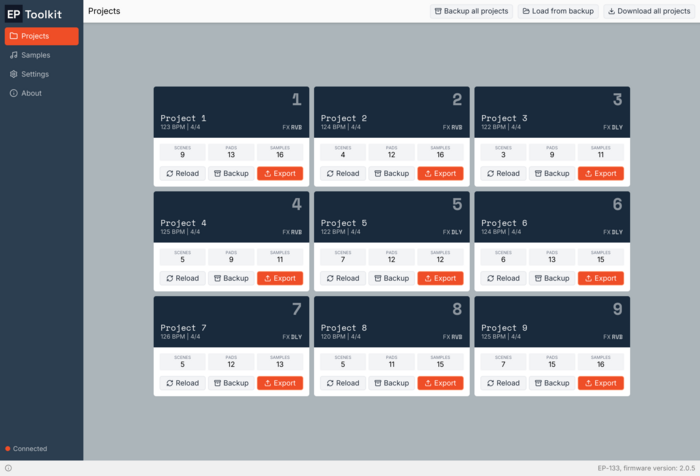
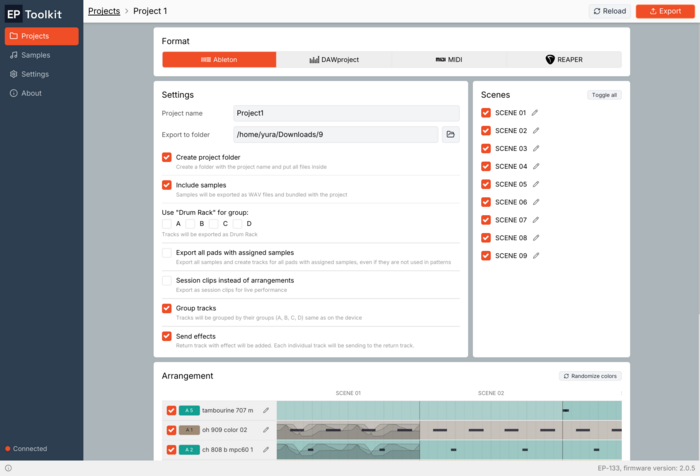
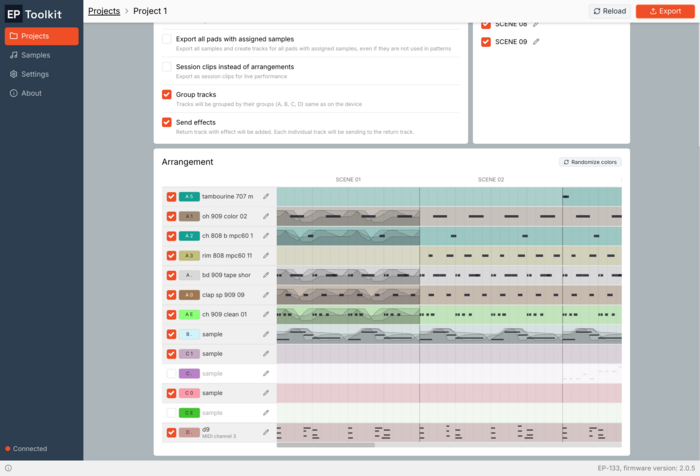
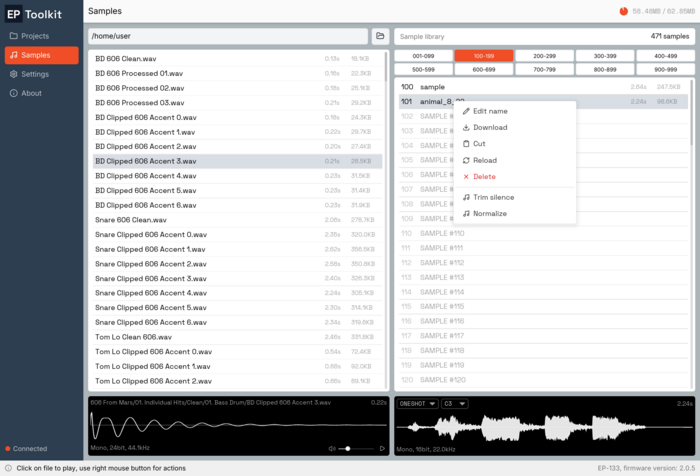
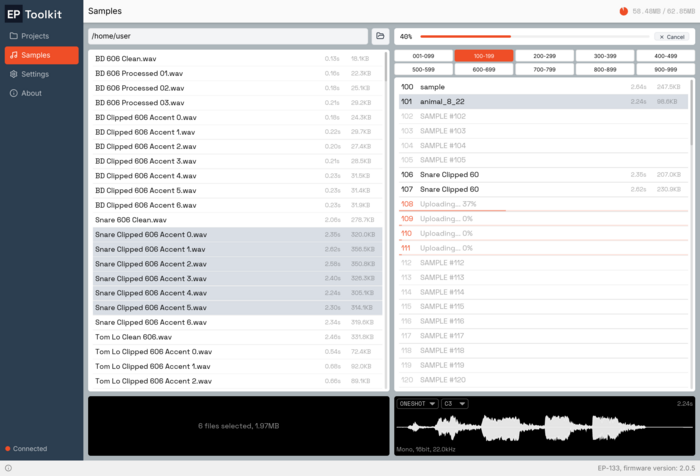
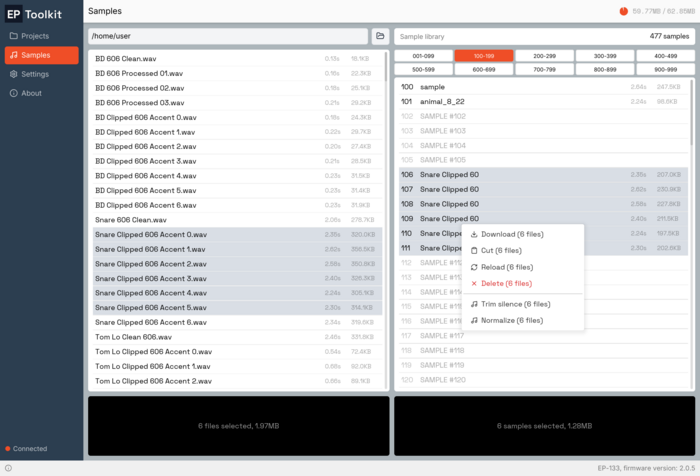
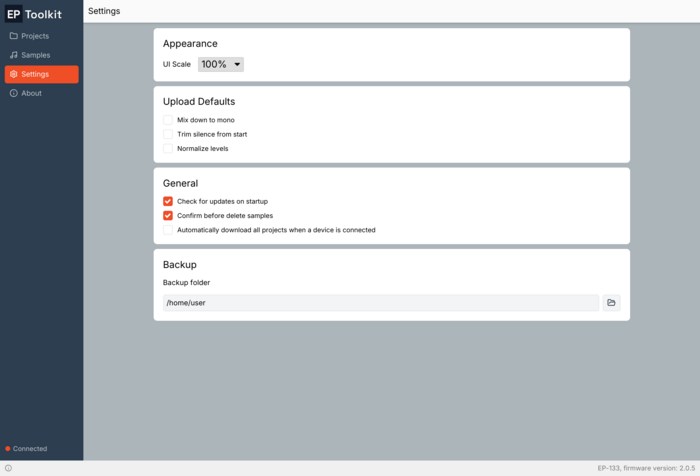
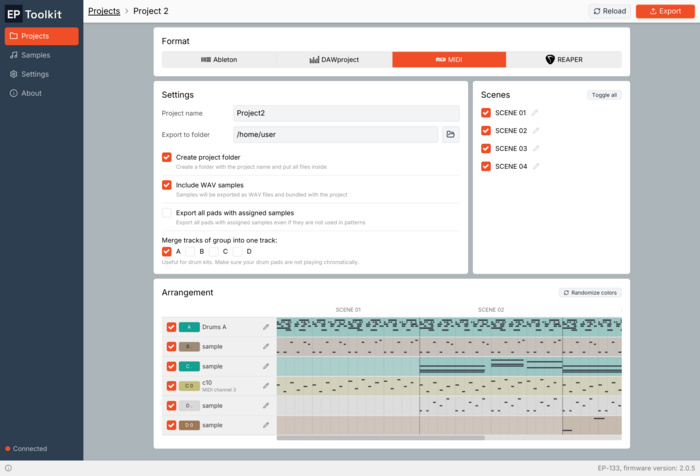
Export your projects straight from the device to Ableton Live, REAPER, DAWproject, or MIDI.
Merge tracks for Drum Rack, use FX send/return routing, export as session clips, export individual scenes with custom names and more.
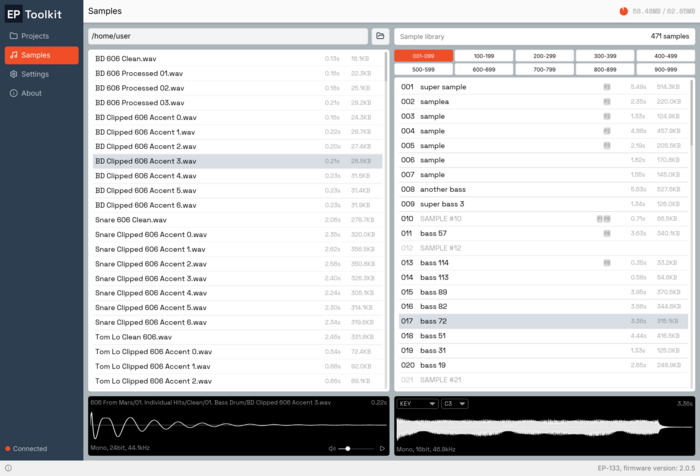
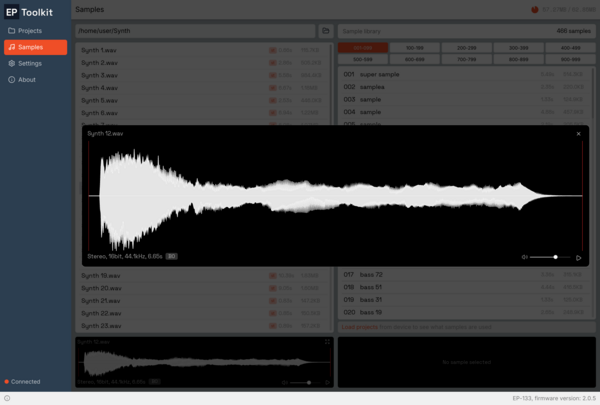
Convenient sample management: batch copy from local drive, copy and paste between slots, decode to mono to save space, remove silence, normalize, batch remove, trim.
Process samples with CLAP plugins
Open official backup files and export projects and samples directly from them - no physical device connection required. Create backups of the whole device or individual projects.
Cross-platform native app - works offline on Windows, macOS, and Linux with no browser required.
Download and use the app for free in demo mode. To export projects or manage samples, purchase a lifetime license (includes 5 activations). Not satisfied? Get a full refund within 10 days, no questions asked.
Have a question? Check the Help section first. For problems or feature requests, or join our Discord and we'll help you out.
Checkout powered by Lemon Squeezy
WINDOWS
Windows 10+
MACOS
macOS 12+
LINUX
Linux, AppImage
EP Toolkit vs Web Version
Not sure which one to choose? Here's how the desktop app compares to the free browser-based version.
| Feature | EP Toolkit | Web Version |
|---|---|---|
| Export | ||
| Export to Ableton, DAWproject, MIDI, REAPER | Yes | Yes |
| Arrangement view | Full | Simple |
| Export directly to selected folder | Yes | — |
| Set tracks color | Yes | — |
| Fader automation support | Yes | — |
| Select tracks to export | Yes | — |
| Sample management | Yes | — |
| Copy, rename, move, delete samples | Yes | — |
| Process sample on device | Yes | — |
| Trim silence, normalize, convert to mono | Yes | — |
| Process samples with CLAP plugins | Yes | — |
| Export projects from backup | Yes | Yes |
| Export samples from backup | Yes | — |
| Browser with WebMIDI required | — | Yes |
| Create backup of a single project or whole device | Yes | — |
| Priority updates and new features | Yes | — |